Tray Element
The Tray element allows you to add a tray icon to your users home screen. This is useful for applications running in the background.
The tray widget appears at the bottom-right of the screen on Windows, and on the top-right menubar on macOS. 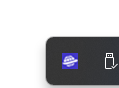
 When setting your tray icon, there are differences between each platform. For the perfect set up, you'll need to specify different icon for each platform.
However, for a quick and easy solution, provide one size (64x64, 144dpi .png), and Deskifier will convert the icon to the desired size.<br>
<table><thead><tr><th width="130.33333333333331">Platform</th><th width="239">Desired Size & Type</th><th>Notes</th></tr></thead><tbody><tr><td>macOS</td><td>32x32 (144 DPI) .png</td><td>Specify if this icon supports dark mode. This is referred to as a <a href="https://www.electronjs.org/docs/latest/api/native-image#template-image-macos">TemplateImage</a>.</td></tr><tr><td>Windows</td><td>64x64 .png</td><td></td></tr><tr><td>Linux</td><td>24x24 .png</td><td></td></tr></tbody></table>