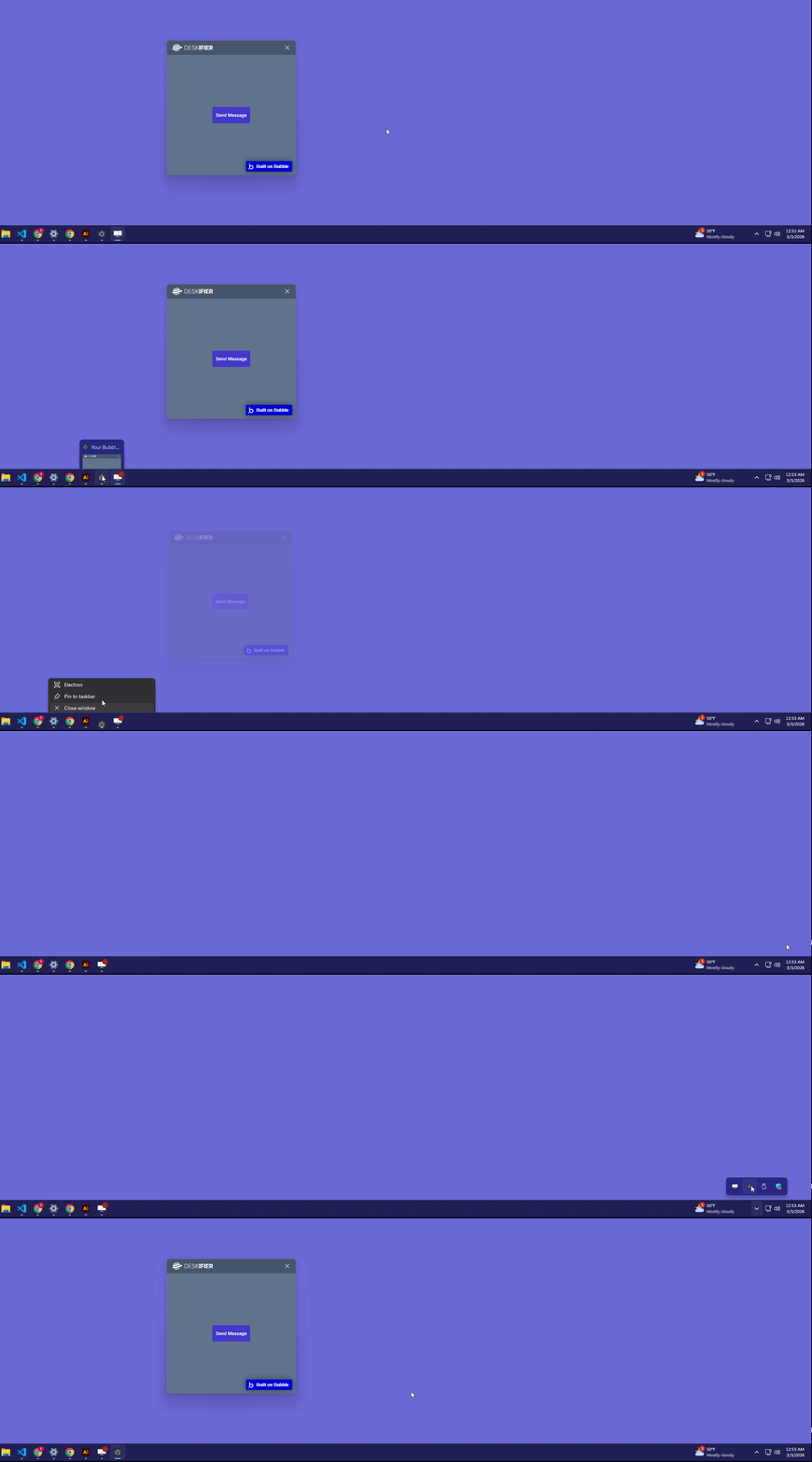
Hiding to taskbar / Running in background

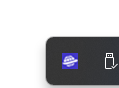
When ever your user attempts to close your application, you can instead hide your application and make your app accessible through the system tray.

<div align="left"><figure><img src="https://909455594-files.gitbook.io/~/files/v0/b/gitbook-x-prod.appspot.com/o/spaces%2FC8kwY8yODXmNxAtaN0Ej%2Fuploads%2F5T5z1QRdono92RnuYCQm%2Fimage.png?alt=media&token=46080f30-0fe2-464e-998e-70b31f78f84a" alt=""><figcaption></figcaption></figure></div>
<figure><img src="https://909455594-files.gitbook.io/~/files/v0/b/gitbook-x-prod.appspot.com/o/spaces%2FC8kwY8yODXmNxAtaN0Ej%2Fuploads%2FDNPONwR7fPNjpVxlm8WM%2Fimage.png?alt=media&token=56907736-ec8e-47f3-b702-431b889f63fc" alt="" width="231"><figcaption></figcaption></figure> <figure><img src="https://909455594-files.gitbook.io/~/files/v0/b/gitbook-x-prod.appspot.com/o/spaces%2FC8kwY8yODXmNxAtaN0Ej%2Fuploads%2F3SW9LPIRKcLVkftbiJMl%2FhideToTray.gif?alt=media&token=12bd66d9-9392-4921-94de-c52713164e35" alt=""><figcaption></figcaption></figure>


How To:

To accomplish this, we need two things

1. Control over our browser window with the Windows Element
2. The ability to manage our system tray with the Tray Element

Step 1.

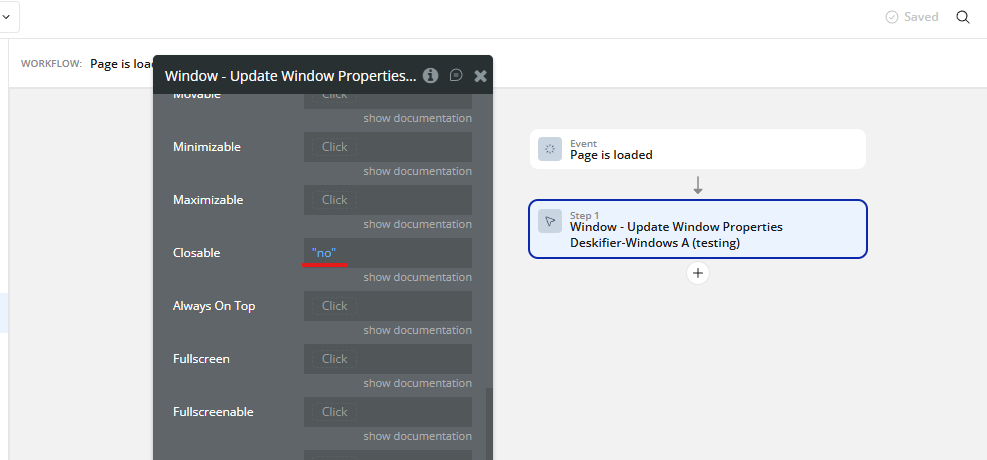
Set your window's Closable property to "no" with the Update Window Properties action.<br>
<figure><img src="https://909455594-files.gitbook.io/~/files/v0/b/gitbook-x-prod.appspot.com/o/spaces%2FC8kwY8yODXmNxAtaN0Ej%2Fuploads%2FIrIsxHcvOlzqKLW9CnCi%2Fimage.png?alt=media&token=1717ca79-4141-4e04-95d0-078df938d55e" alt=""><figcaption></figcaption></figure>

This will prevent the user from being able to close out of your app.

Step 2.

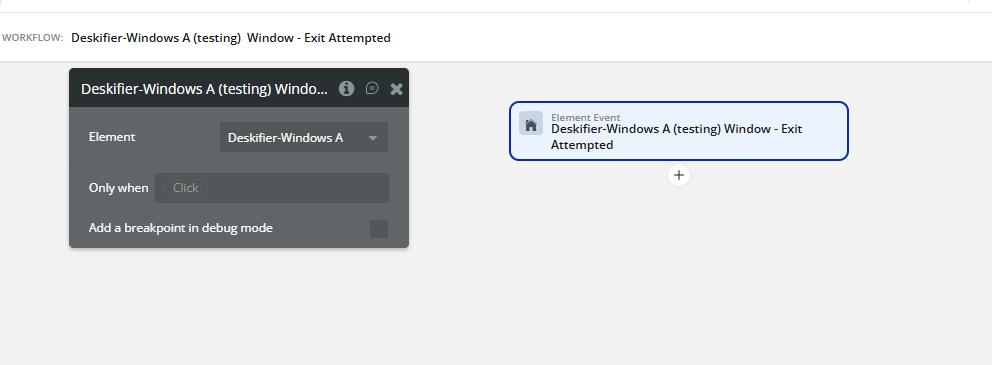
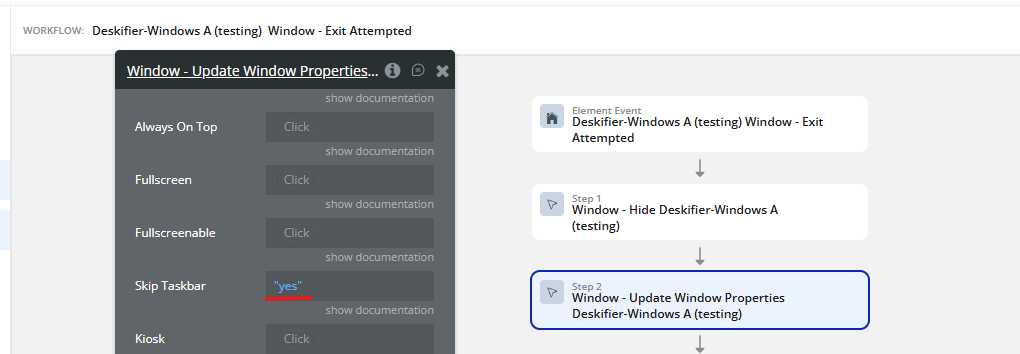
Listen for the Window - Exit Attempted event.
<figure><img src="https://909455594-files.gitbook.io/~/files/v0/b/gitbook-x-prod.appspot.com/o/spaces%2FC8kwY8yODXmNxAtaN0Ej%2Fuploads%2FbptmClr37jlGr2XIU9Bl%2Fimage.png?alt=media&token=06640da0-5c2c-40cb-a5e8-6e52c7d99e74" alt=""><figcaption></figcaption></figure>

When this fires, we'll run the Window - Hide event & update our window properties to "skip" the taskbar.
<figure><img src="https://909455594-files.gitbook.io/~/files/v0/b/gitbook-x-prod.appspot.com/o/spaces%2FC8kwY8yODXmNxAtaN0Ej%2Fuploads%2FbL5UCEQmMHW20c46hgGL%2Fimage.png?alt=media&token=3c1cc6bb-682e-4654-a435-e6e82ae25962" alt=""><figcaption></figcaption></figure>

Step 3.

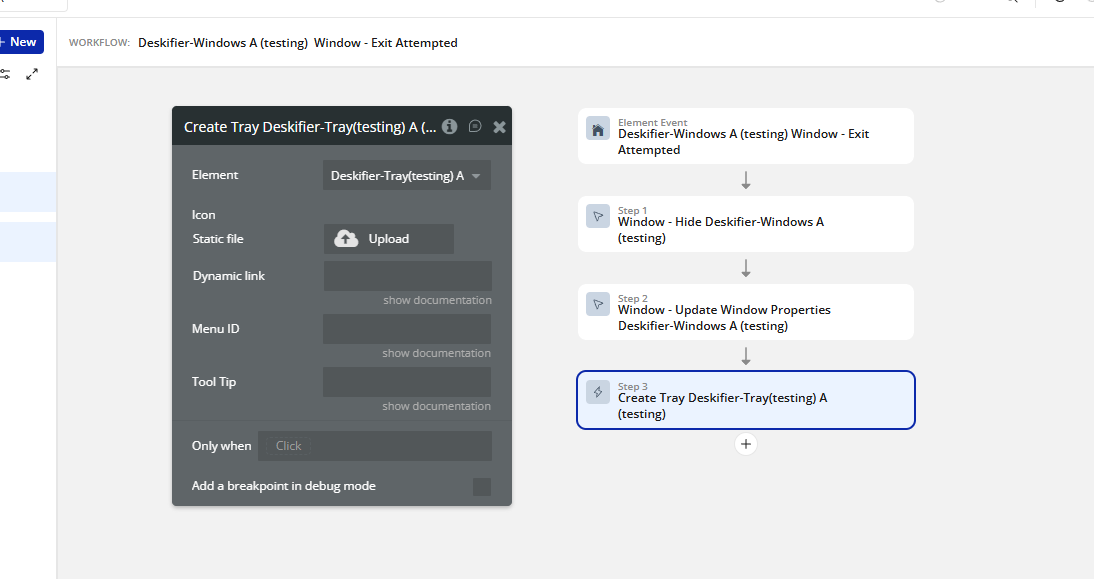
Now we'll create our tray widget. This is so that the user can access our app once it's hidden. In the same event as above, run the Create Tray action.
<figure><img src="https://909455594-files.gitbook.io/~/files/v0/b/gitbook-x-prod.appspot.com/o/spaces%2FC8kwY8yODXmNxAtaN0Ej%2Fuploads%2FfLUfPHoOR7o2LQffaeVY%2Fimage.png?alt=media&token=9fc58a10-4bd6-4b9d-a2ac-9b8c495c1d3e" alt=""><figcaption></figcaption></figure>

Step 4.

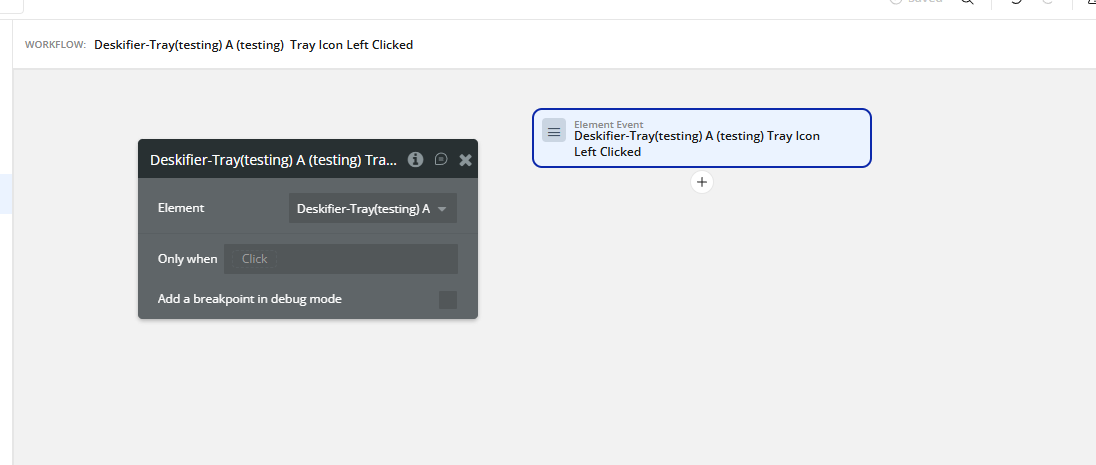
And finally, we need to give a users a way back into the app from the hidden state. We'll do this by listening for the Tray Icon Left Clicked event.
<figure><img src="https://909455594-files.gitbook.io/~/files/v0/b/gitbook-x-prod.appspot.com/o/spaces%2FC8kwY8yODXmNxAtaN0Ej%2Fuploads%2FyitOkErHhKWJKAhaiVDX%2Fimage.png?alt=media&token=c34ee250-f270-4aec-bd2a-93b987b8263c" alt=""><figcaption></figcaption></figure>

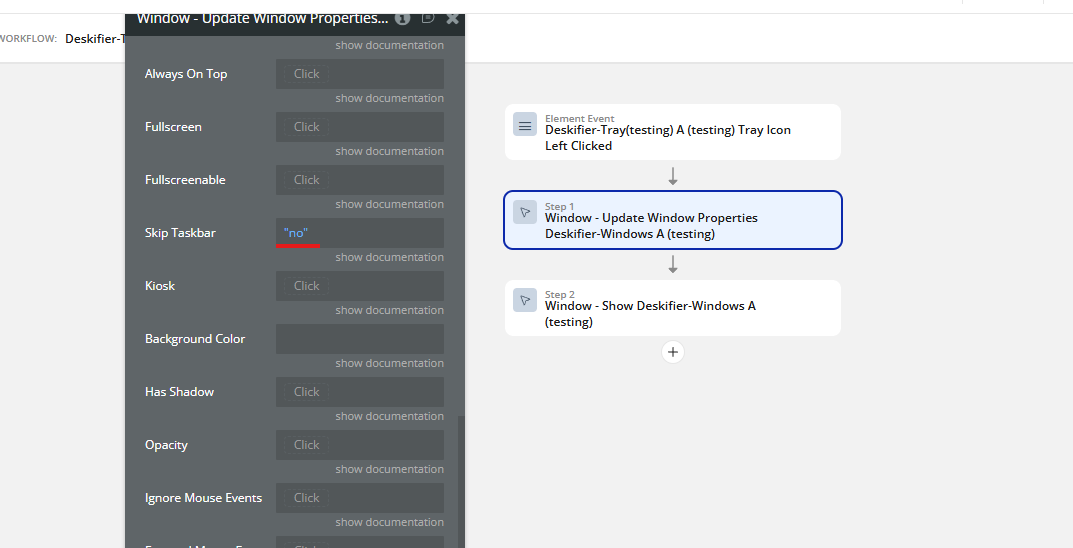
When this is clicked, we'll update the window properties to set Skip Taskbar to no & run the Window - Show action.
<figure><img src="https://909455594-files.gitbook.io/~/files/v0/b/gitbook-x-prod.appspot.com/o/spaces%2FC8kwY8yODXmNxAtaN0Ej%2Fuploads%2FJrXXPQpiSEYzOW7C2gkE%2Fimage.png?alt=media&token=43d37c8b-ab24-436d-bec5-d7db0f72c1a8" alt=""><figcaption></figcaption></figure>