Semi-transparent windows

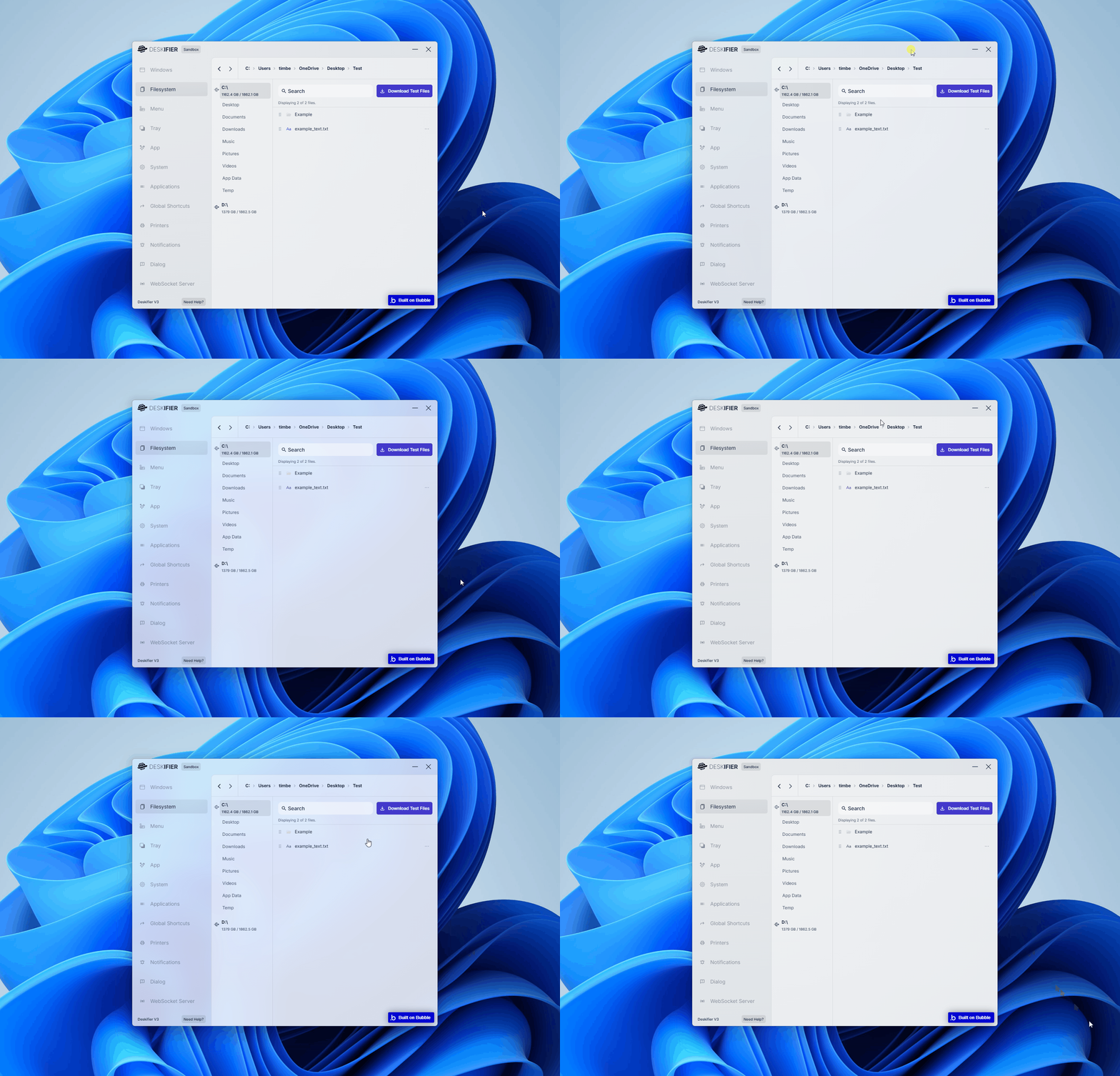
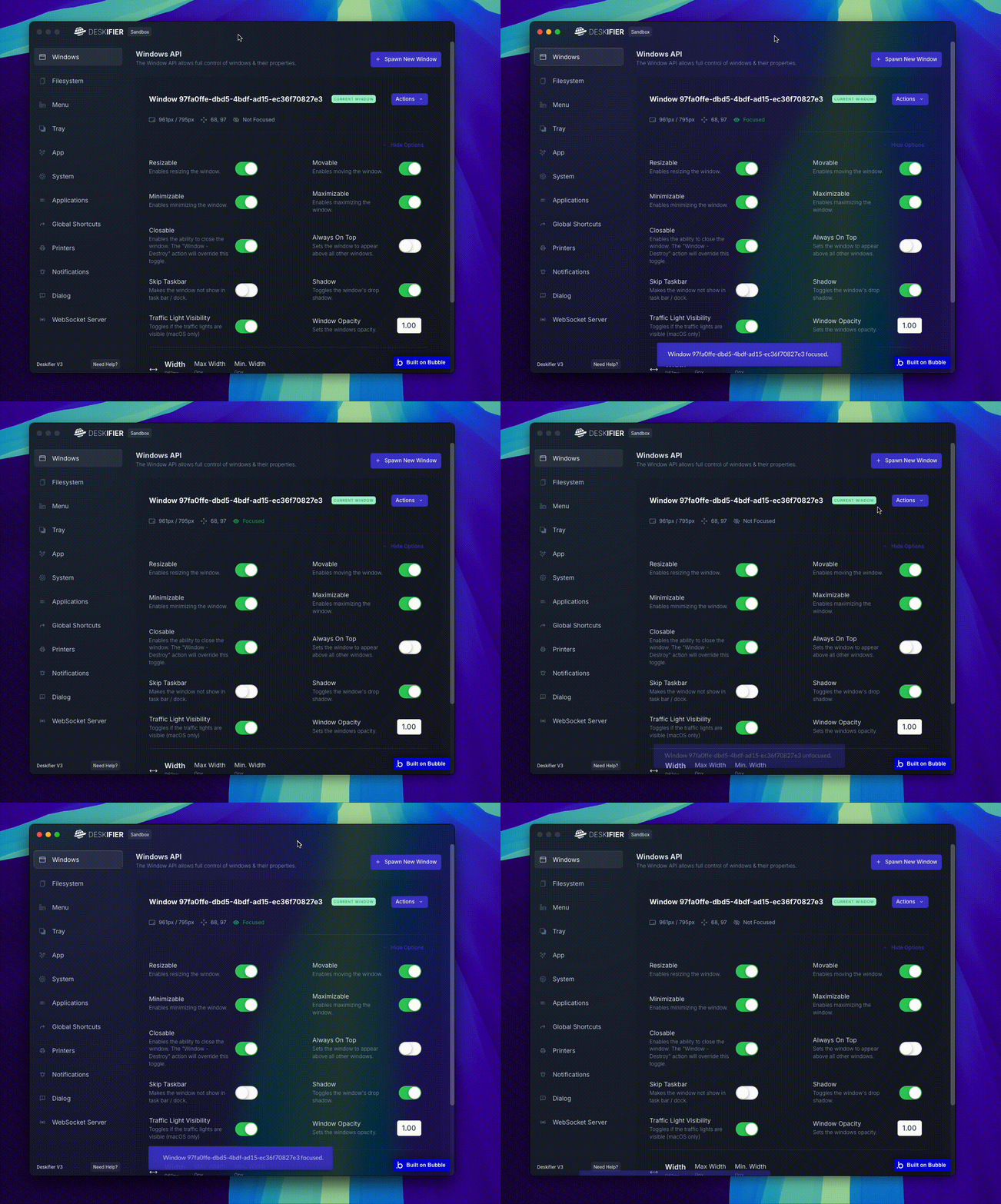
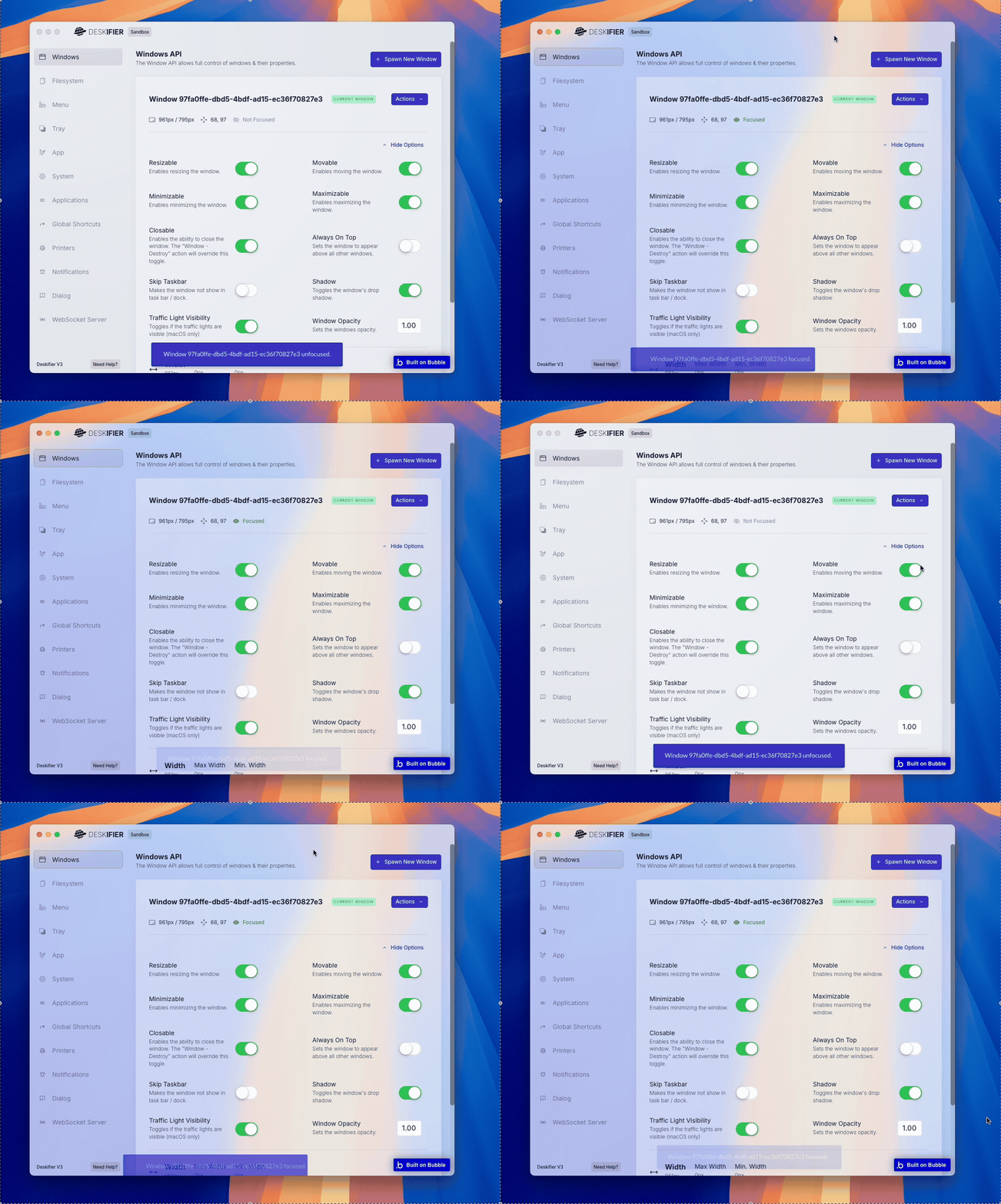
Your application can create semi-transparent windows that blend with the desktop and other applications behind them.

This effect is achieved by using a transparent page background together with the background material setting for Windows and vibrancy setting on macOS.

This creates a frosted glass-like appearance that allows the interface to feel integrated with the desktop environment.

The transparency is adjusted depending on if the window is focused by the user or not.

Transparency behavior can also change depending on the system's light or dark mode. The background opacity may be adjusted based on the OS appearance settings, so it is important to test your UI in both modes to ensure text and interface elements remain readable.

Dark mode (Windows):

<figure><img src="https://909455594-files.gitbook.io/~/files/v0/b/gitbook-x-prod.appspot.com/o/spaces%2FC8kwY8yODXmNxAtaN0Ej%2Fuploads%2Fjsy3XJrPWjBGlkPKBI5W%2FsemiWindowDarkMode.gif?alt=media&token=3f3bb443-ba6b-4e27-93b7-6a0a1319e7c6" alt=""><figcaption></figcaption></figure>

Light mode (Windows):

<figure><img src="https://909455594-files.gitbook.io/~/files/v0/b/gitbook-x-prod.appspot.com/o/spaces%2FC8kwY8yODXmNxAtaN0Ej%2Fuploads%2FNGWE7pGCpSdLDn9qnChb%2FsemiWindowLightMode.gif?alt=media&token=b037ffd5-cea7-4968-b7c5-38a2599f409b" alt=""><figcaption></figcaption></figure>

Dark mode (macOS):

<figure><img src="https://909455594-files.gitbook.io/~/files/v0/b/gitbook-x-prod.appspot.com/o/spaces%2FC8kwY8yODXmNxAtaN0Ej%2Fuploads%2FNTzt0LPNgIFtwUcyJ0Fj%2FScreen%20Recording%202026-03-07%20at%2012.13.35%E2%80%AFPM.gif?alt=media&token=38937363-2f6c-4be0-8da9-e7774731c525" alt=""><figcaption></figcaption></figure>

Light mode (macOS):

<figure><img src="https://909455594-files.gitbook.io/~/files/v0/b/gitbook-x-prod.appspot.com/o/spaces%2FC8kwY8yODXmNxAtaN0Ej%2Fuploads%2Fr2mSL1XR3pHDGaUyGFzv%2FAdobe%20Express%20-%20Screen%20Recording%202026-03-07%20at%2012.16.08%E2%80%AFPM.gif?alt=media&token=891d016b-d89b-4175-be78-62b29eb68e0d" alt=""><figcaption></figcaption></figure>