Filter open dialog by file type
When using the Show Open Dialog action, you can restrict which file types the user is allowed to select by applying file type filters. This helps guide users toward selecting the correct files and prevents unsupported file formats from being chosen.
File filters define which extensions should appear as selectable within the dialog. Files that do not match the allowed extensions will either be hidden or disabled, depending on the operating system.
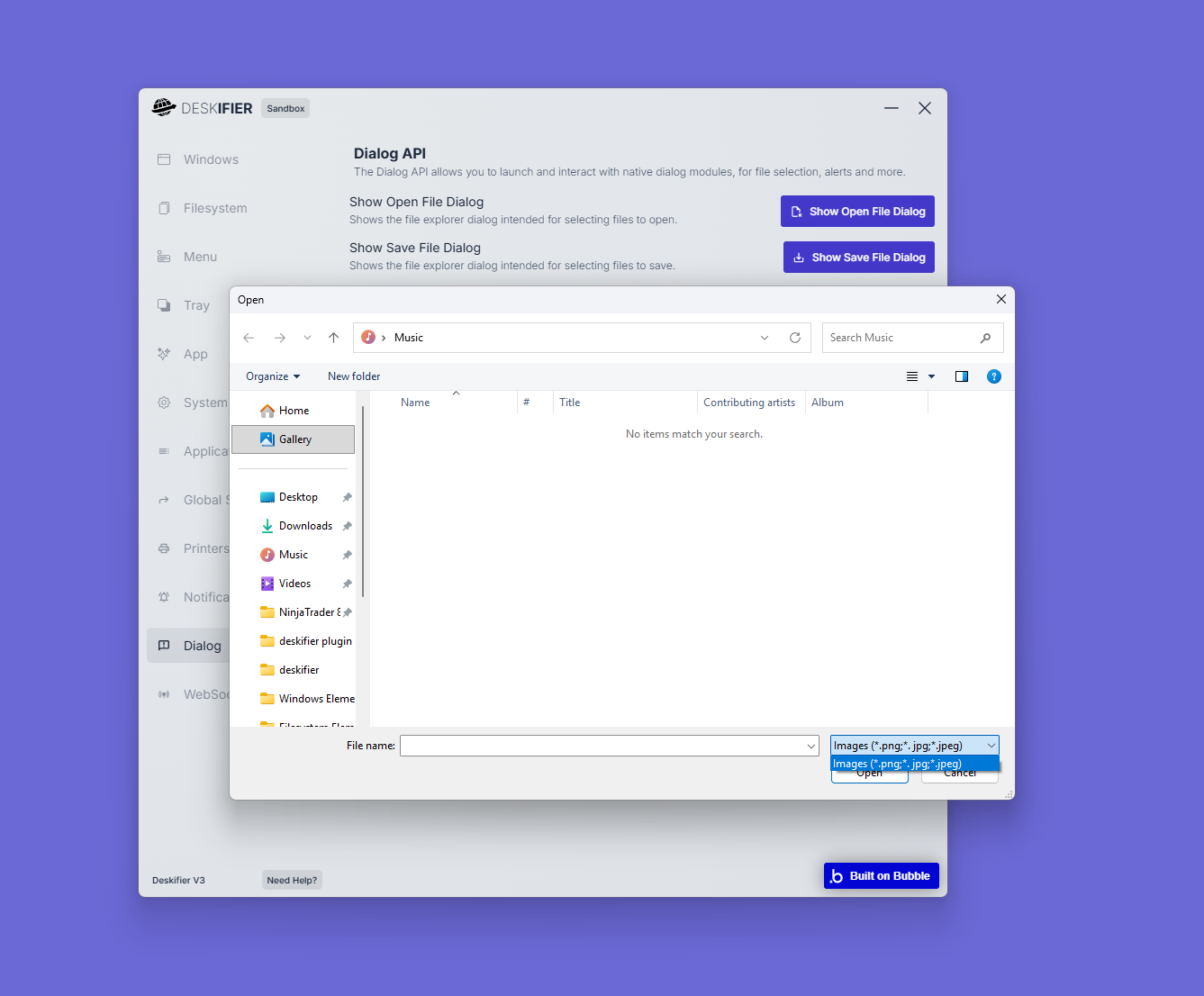
In this example, only image file types are allowed to be selected.
How To:
View this example in the Bubble editor:
https://bubble.io/page?id=deskifier-plugin-test&tab=Workflow&name=sandbox&type=page&wf_item=bTPOZ
When calling our Show Open Dialog action, we can specify "Filters"
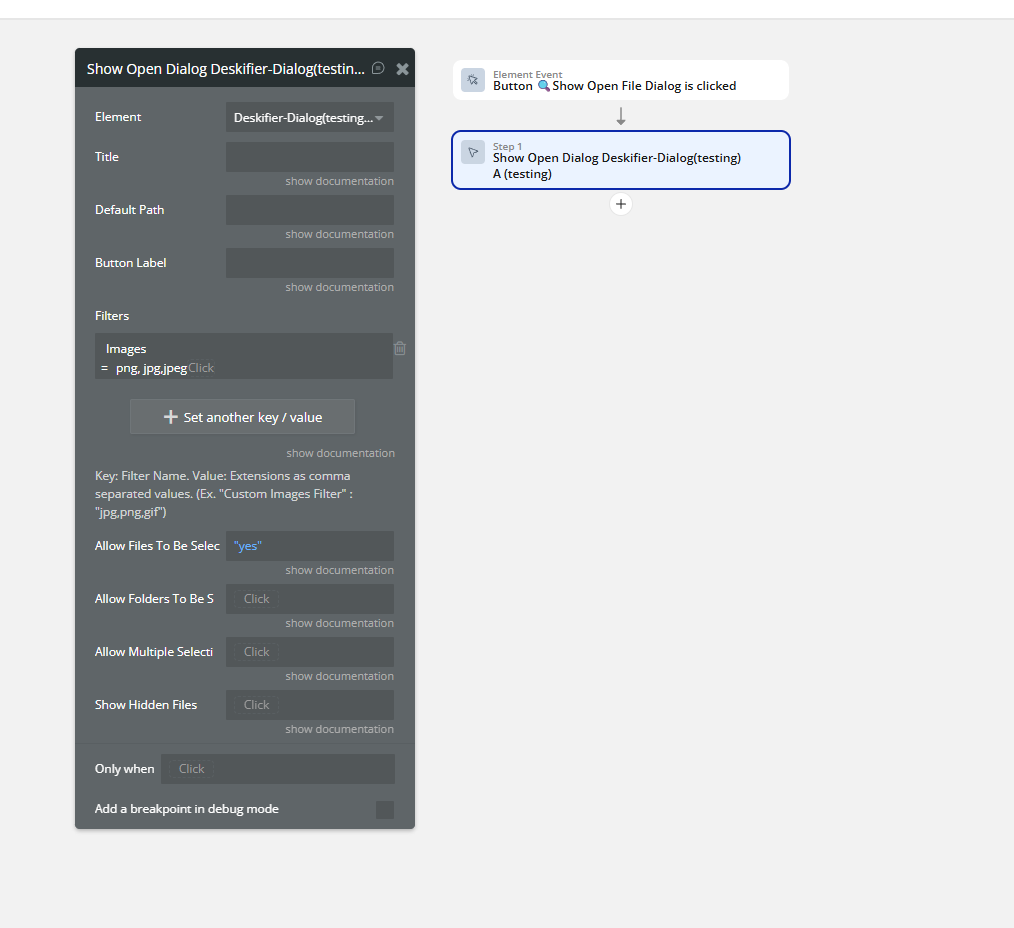
Where the "key" is the category name, and the value are the allowed file extensions as comma separated list.