Microsoft App Store Builds

Create Your Microsoft Partner Account

To build an app that you can publish to the Microsoft App Store, Deskifier needs some specific details from your Microsoft Partner Center dashboard.

  1. Navigate to storedeveloper.microsoft.com/onboarding and complete the Microsoft Store developer onboarding.
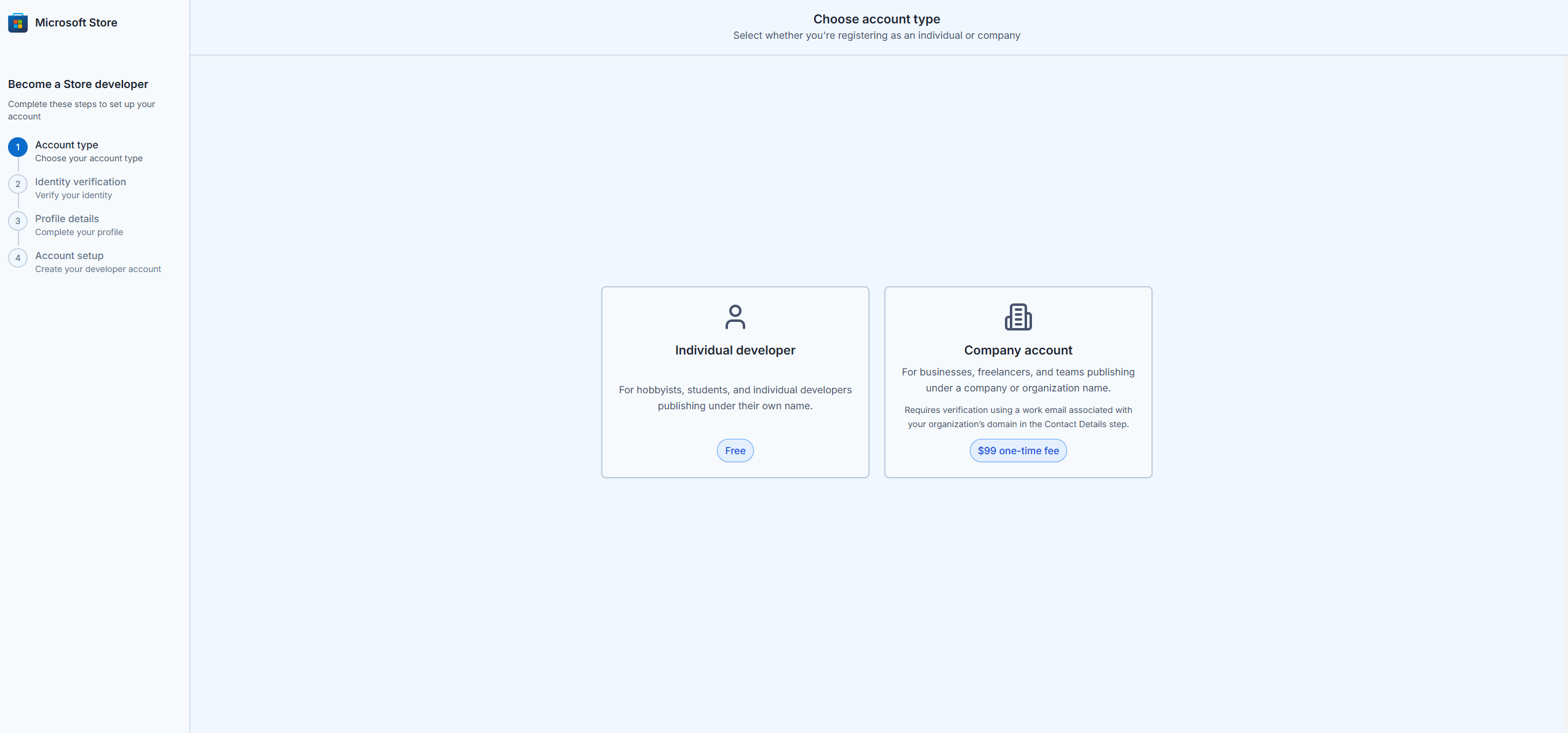
<figure><img src="https://content.gitbook.com/content/aEnaAl6e7qhRH1HWZmjS/blobs/GdWSNtbZ1Jevmb4iTi2A/image.png" alt="Microsoft Store developer onboarding"></figure>

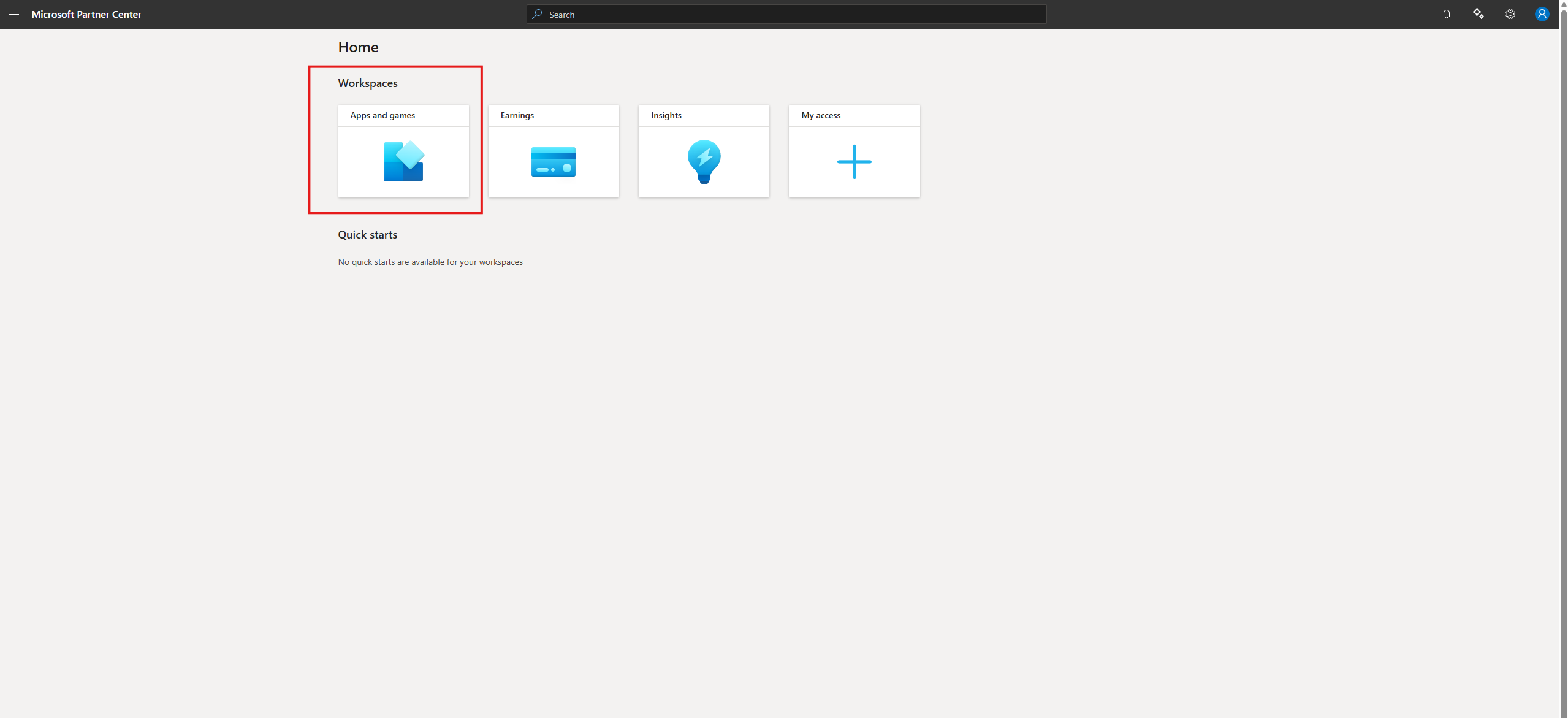
  1. Once you've completed the onboarding, click the Go to Partner Center dashboard button.
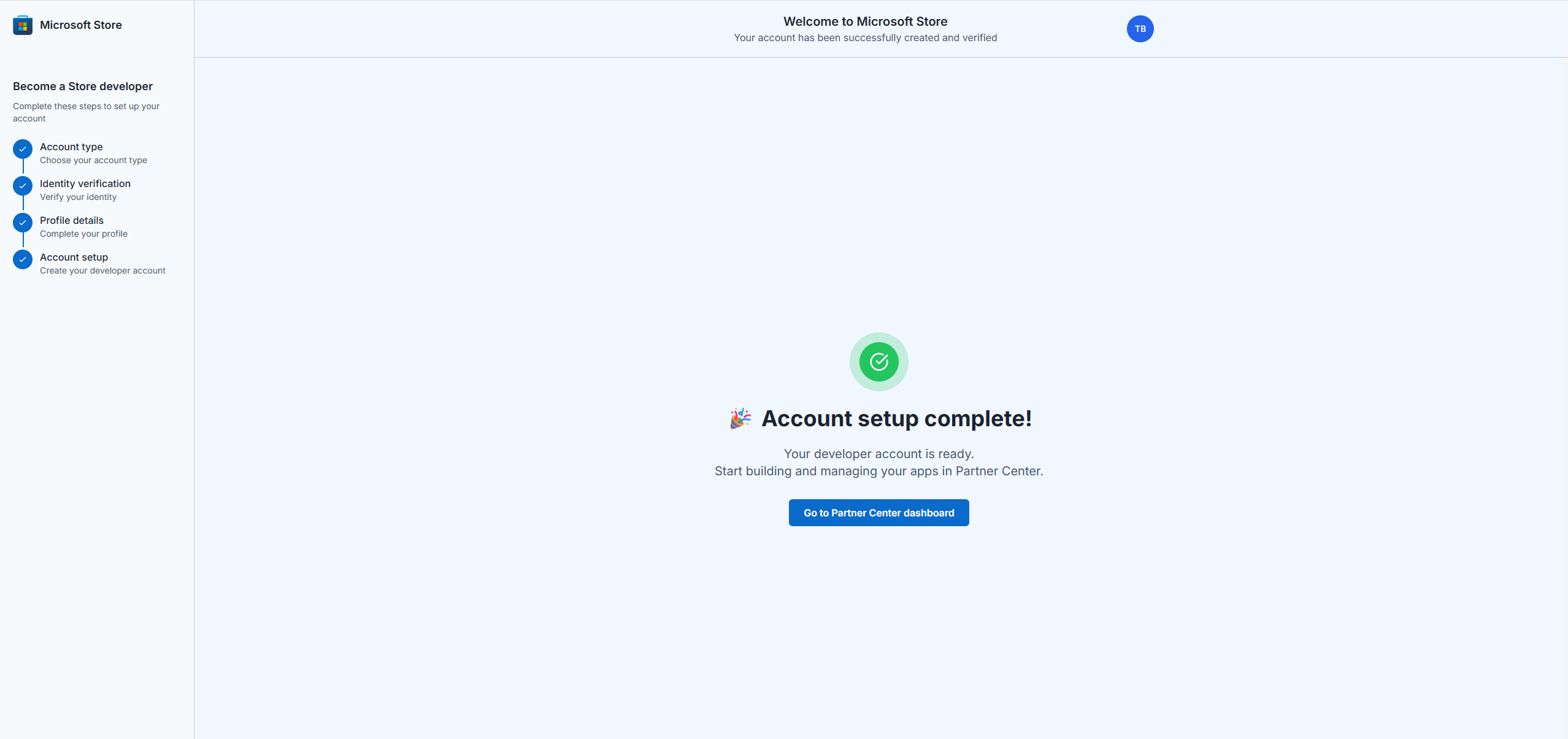
<figure><img src="https://content.gitbook.com/content/aEnaAl6e7qhRH1HWZmjS/blobs/1u8JZcAa1UhPUE1FrAJd/image.png" alt="Go to Partner Center dashboard"></figure>

  1. Select Apps and games.

<figure><img src="https://content.gitbook.com/content/aEnaAl6e7qhRH1HWZmjS/blobs/XeBy2xPnmKA5X993M63b/image.png" alt="Apps and games"></figure>

  1. Create a new product. Select MSIX or PWA app as the product type.
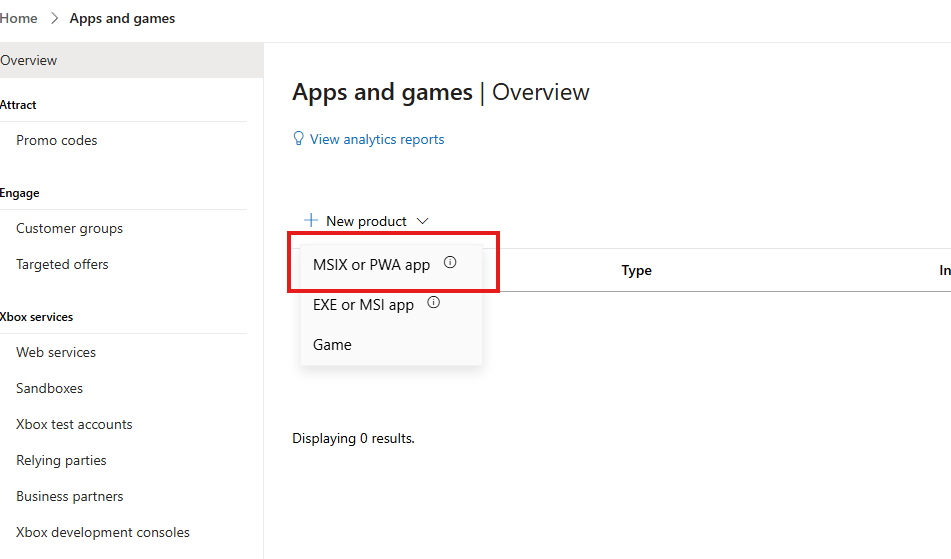
<figure><img src="https://content.gitbook.com/content/aEnaAl6e7qhRH1HWZmjS/blobs/2U16t8crXU4XU4dzJZvU/image.png" alt="Select MSIX or PWA product type"></figure>

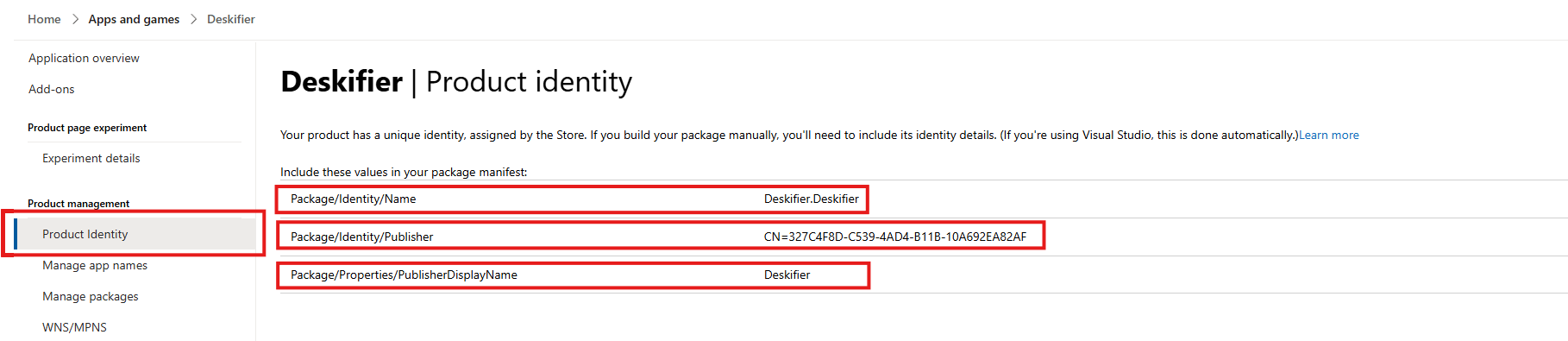
  1. Navigate to Product identity. Here you'll find the information Deskifier needs to build your appx package.
<figure><img src="https://content.gitbook.com/content/aEnaAl6e7qhRH1HWZmjS/blobs/tysuYFJhtMnhXoxB5cyL/Screenshot%202026-03-21%20134447.png" alt="Product identity"></figure>

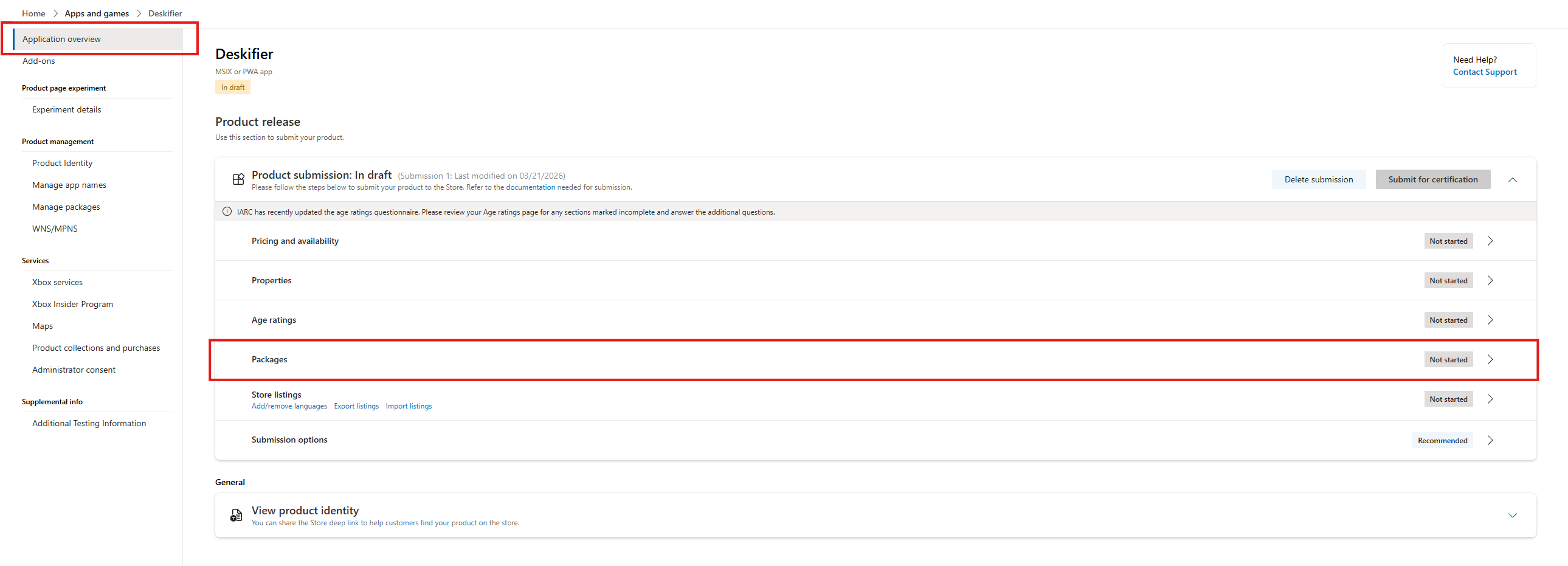
  1. After entering the details into the Deskifier dashboard, you can create a new submission, and navigate to the Packages section.
<figure><img src="https://content.gitbook.com/content/aEnaAl6e7qhRH1HWZmjS/blobs/aj3kWNftwsbsqFDPWuBb/image.png" alt="Packages section"></figure>

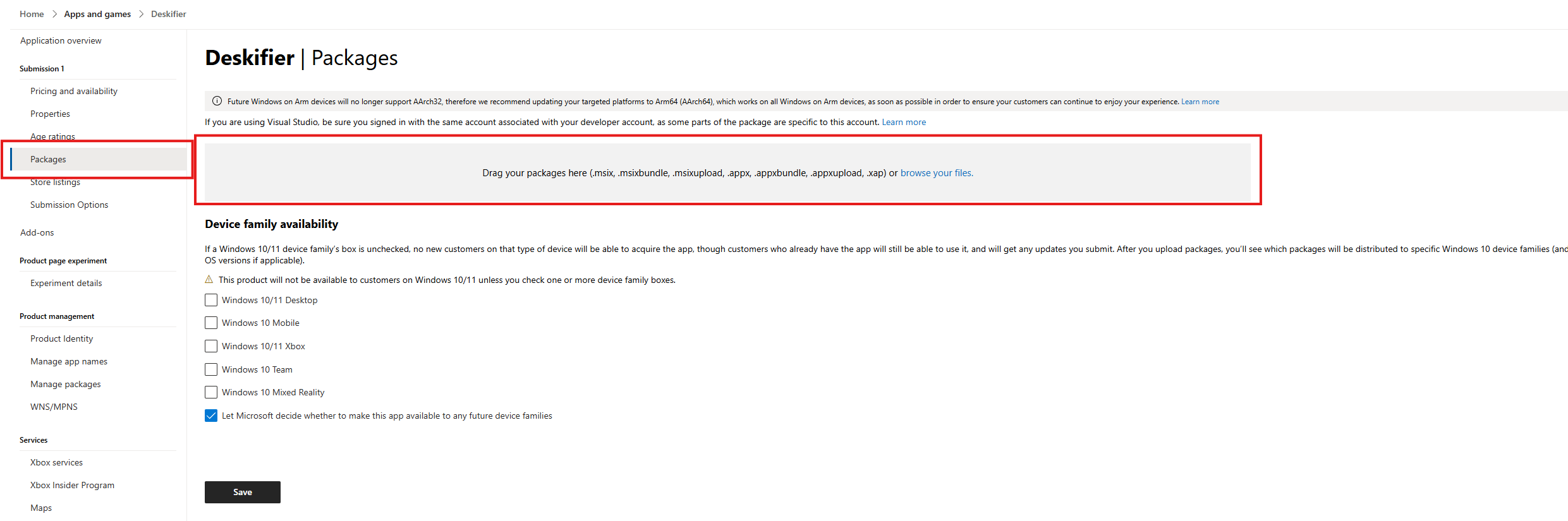
Once you have downloaded your build from Deskifier, upload the appx file here.
<figure><img src="https://content.gitbook.com/content/aEnaAl6e7qhRH1HWZmjS/blobs/rDT5Q2vc5sARU5dpirJF/image.png" alt="Upload appx package"></figure>

References

https://learn.microsoft.com/en-us/windows/uwp/launch-resume/splash-screens

https://learn.microsoft.com/en-us/windows/apps/design/iconography/app-icon-design?source=recommendations