Create a Developer ID Certificate
To create an app outside of the Mac App Store, you need a "Developer ID Certificate". This can't be created over the App Store Connect API.
- Head to "Certificates" in the Apple developer portal.
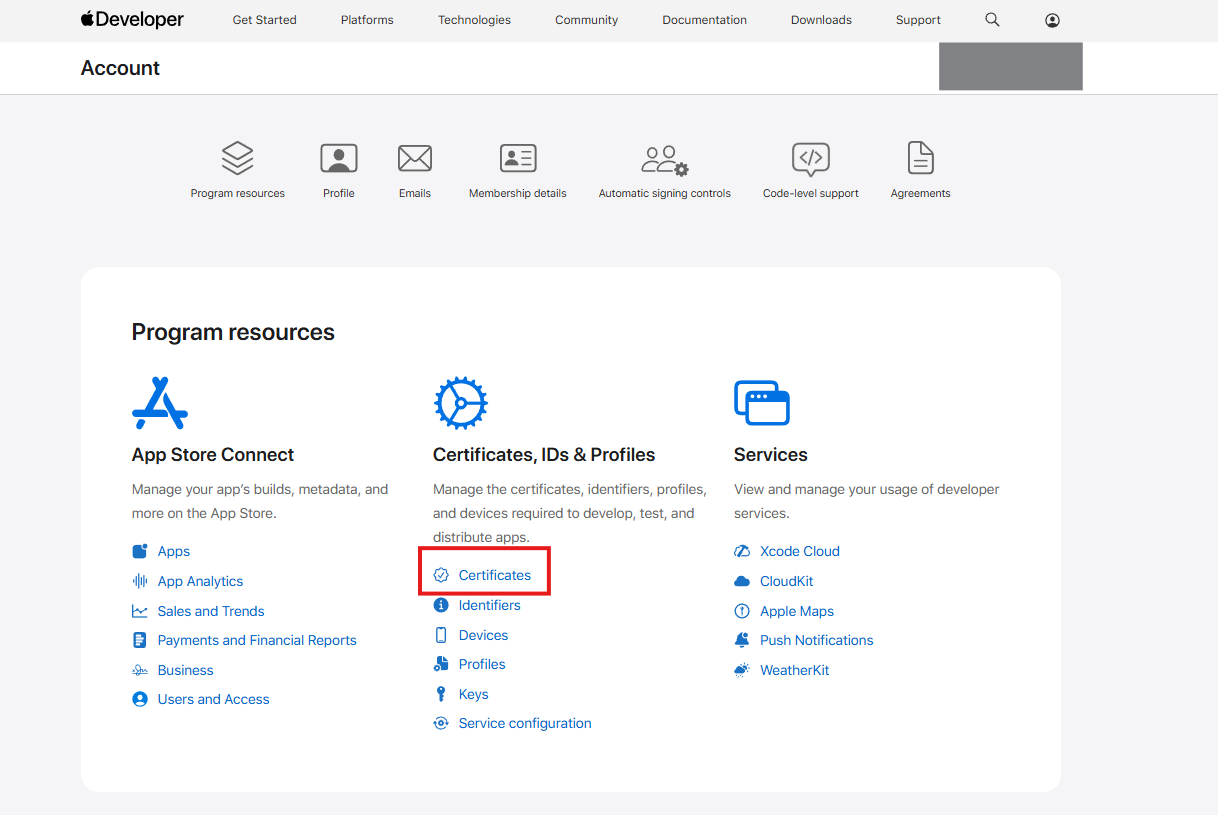
<figure><img src="https://content.gitbook.com/content/aEnaAl6e7qhRH1HWZmjS/blobs/vKGpMX1eICfqW91Xqxdj/image.png" alt="Certificates tab in the Apple developer portal"></figure>
- Click the blue "Plus" button to start creating a new certificate.
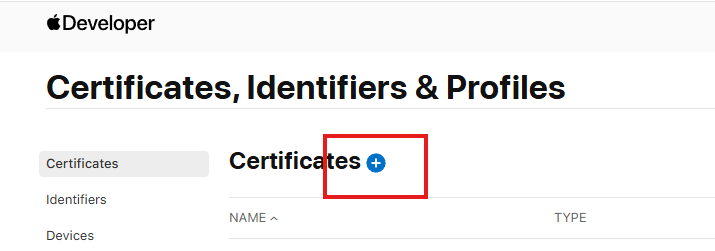
<figure><img src="https://content.gitbook.com/content/aEnaAl6e7qhRH1HWZmjS/blobs/LSFqjLZv7rXH1owaiUrU/image.png" alt="New certificate button"></figure>
- Select "Developer ID Application", and click Continue.
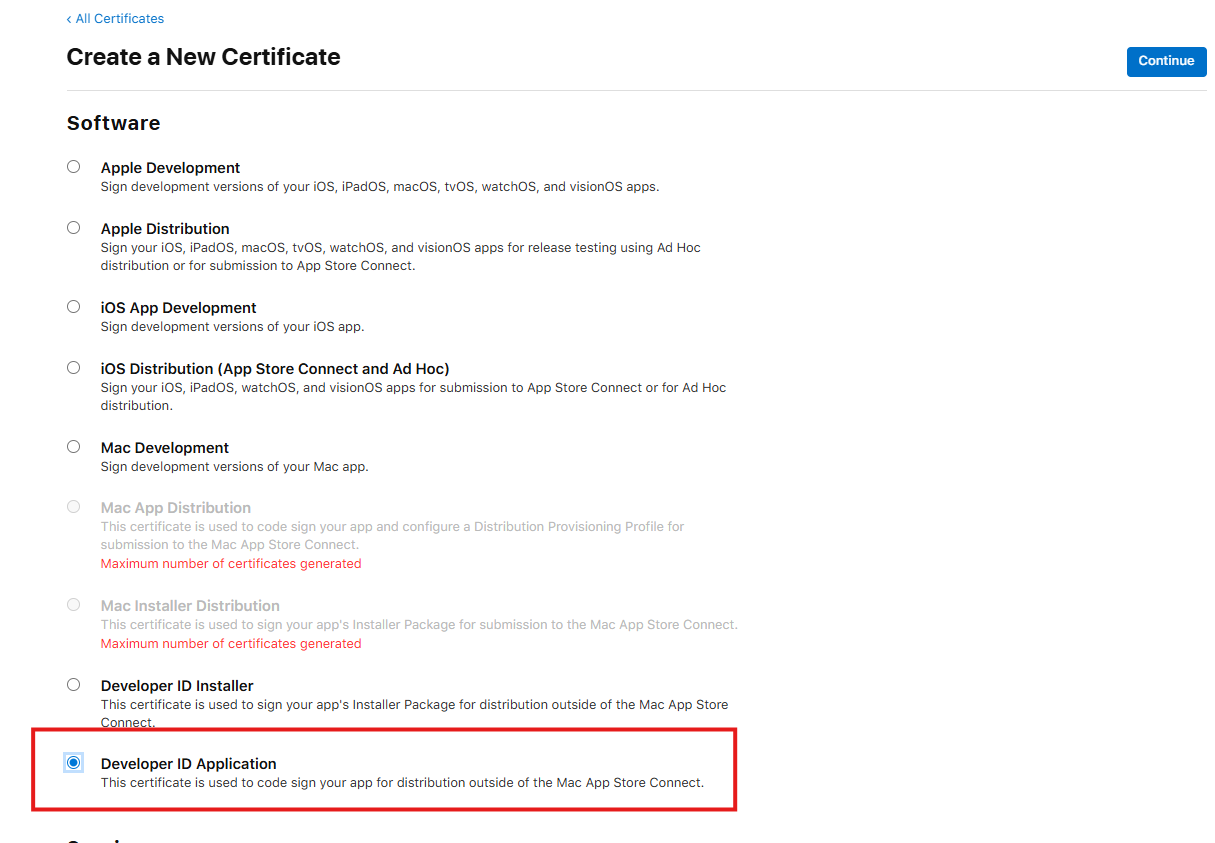
<figure><img src="https://content.gitbook.com/content/aEnaAl6e7qhRH1HWZmjS/blobs/r4KC9eozVNIm87xTQOd1/image.png" alt="Developer ID Application selected"></figure>
- Upload the CSR generated from the Deskifier dashboard, and click continue.
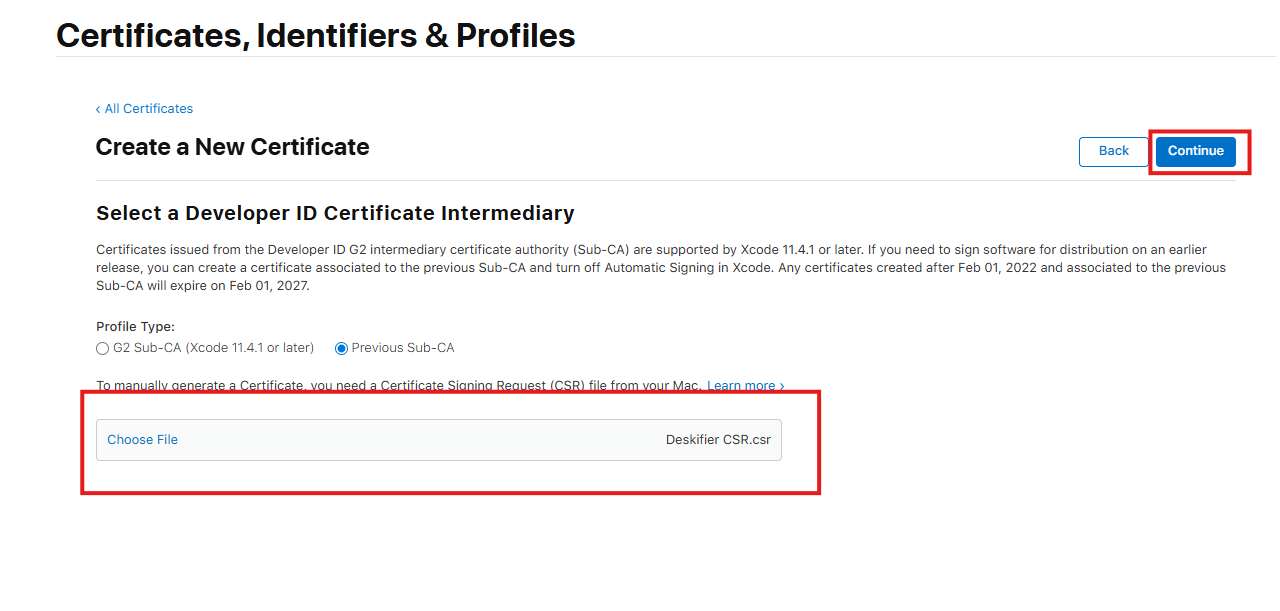
<figure><img src="https://content.gitbook.com/content/aEnaAl6e7qhRH1HWZmjS/blobs/fdMEUran6gREdsnM6D85/image.png" alt="Upload the CSR from Deskifier"></figure>
- Download the newly created Certificate, and upload it in the Deskifier dashboard.
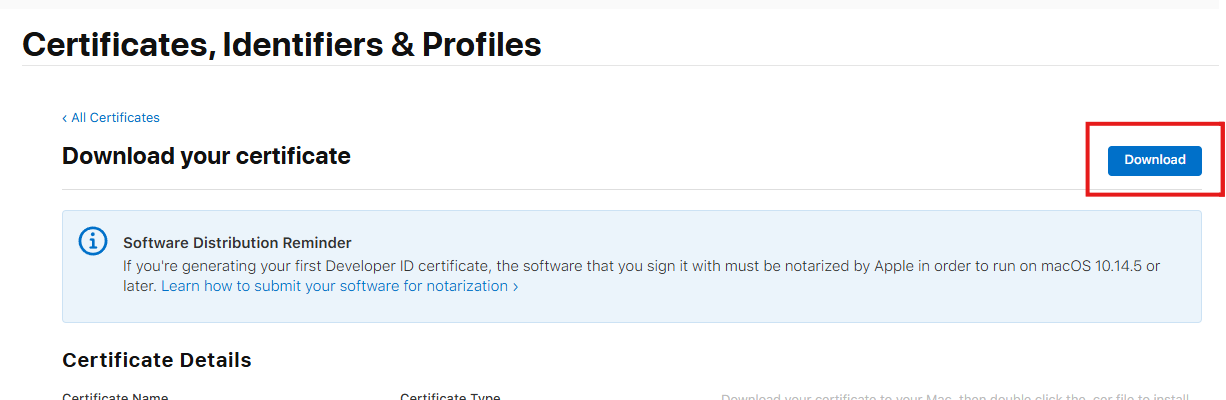
<figure><img src="https://content.gitbook.com/content/aEnaAl6e7qhRH1HWZmjS/blobs/0sAxIZJF17tSKMLN0iFA/image.png" alt="Download and upload the certificate"></figure>