Tutorial: a tray status app
The single biggest thing an installed app can do that a browser tab can't: keep working after the window closes, one click away in the menu bar (macOS) or system tray (Windows). This tutorial turns your app into that, in about ten minutes, using a dashboard-defined tray plus a few lines of SDK code.
What you'll ship: your icon in the status area, a menu under it, the app minimizing to the tray instead of quitting, and a live status number on the tray itself.
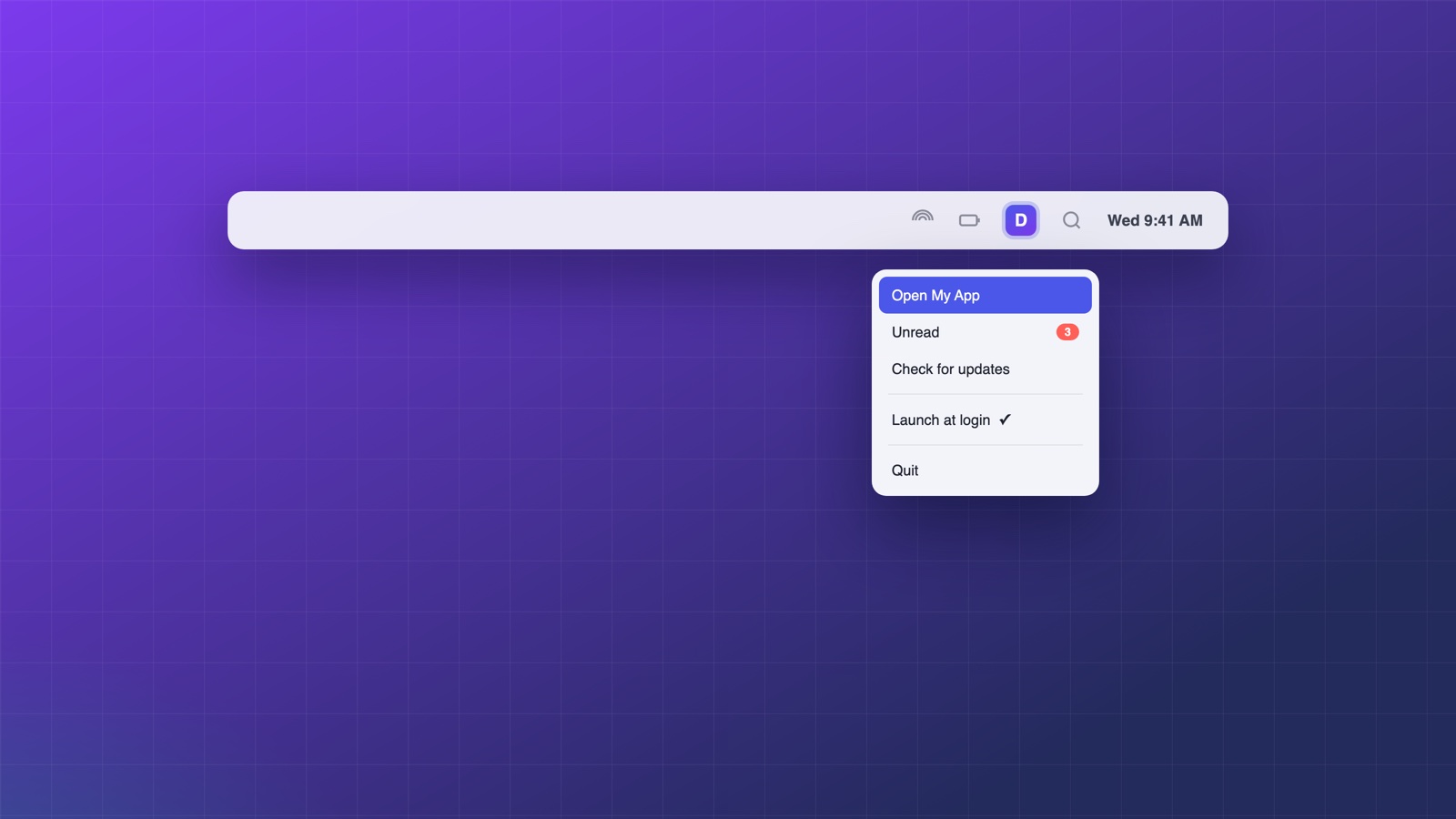
1. Define the tray in the dashboard
Open your app's Trays page and add a tray. Give it a memorable slug (the default main is fine) and either upload a dedicated icon or let it use your app icon. On macOS, enable Adapt to the macOS menu bar so the icon renders as a template image in light and dark menu bars.
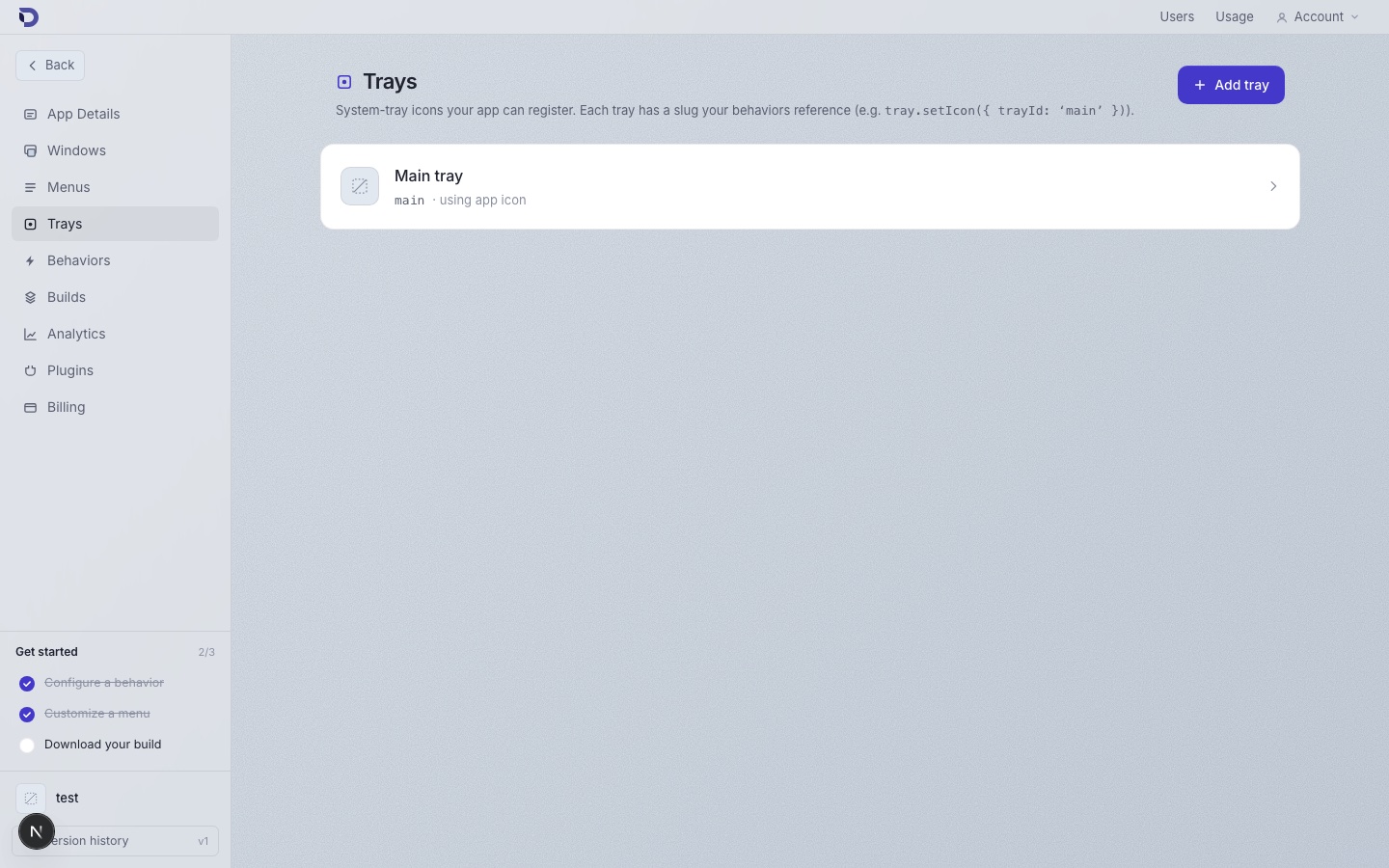
A dashboard-defined tray with spawn on start appears as soon as the app launches, before any of your code runs. (You can also create trays at runtime with tray.create, but a config-defined tray survives even when your page hasn't loaded.)
2. Keep the app alive when the window closes
The tray is only useful if closing the window doesn't quit the app. Add a behavior on the Behaviors page:
- When: window is closing
- Then: Minimize to tray
And a second one so the tray brings the window back:
- When: the tray icon is clicked
- Then: Show window, Focus window
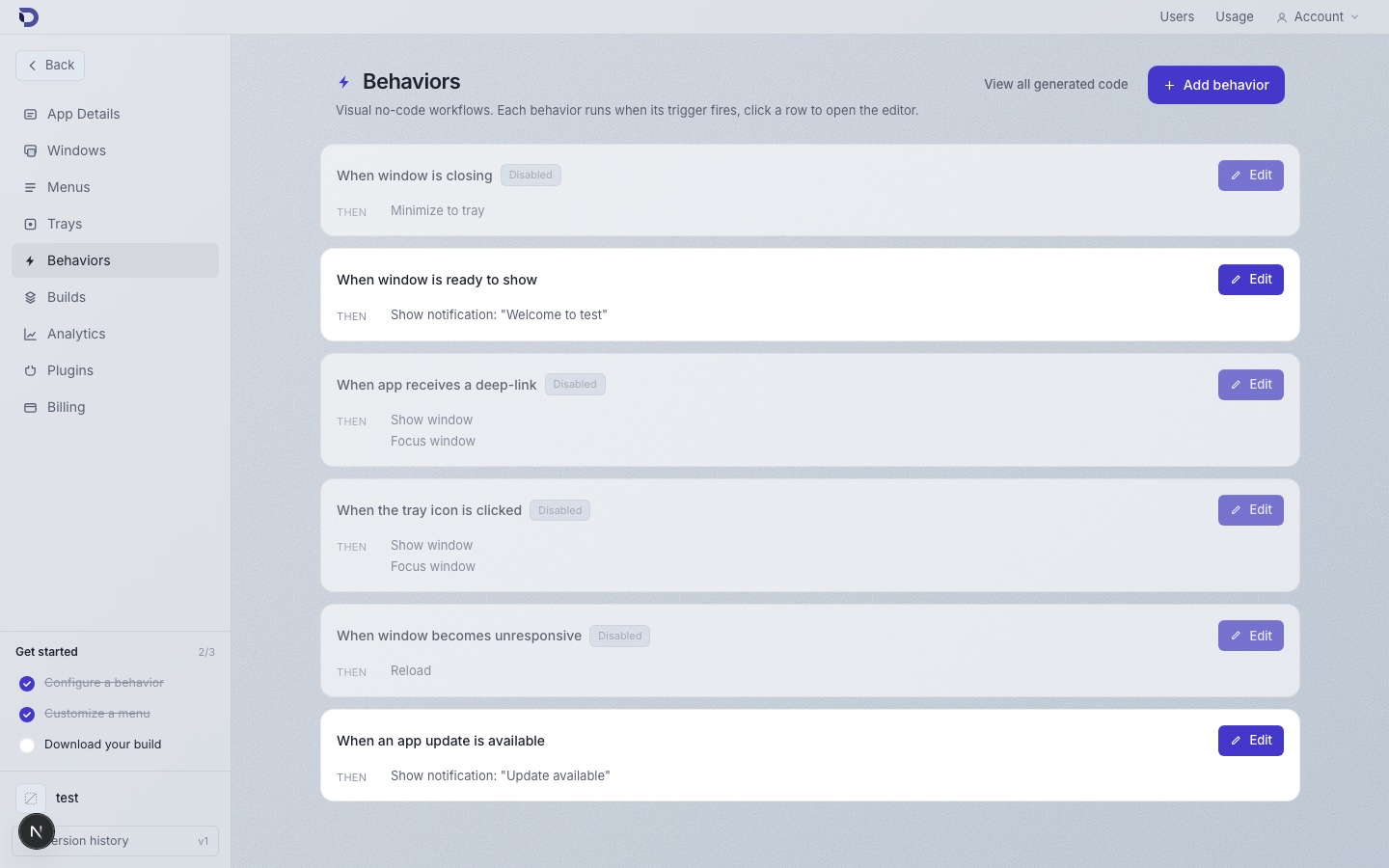
That's the whole retention loop with zero code: close hides to tray, click restores.
3. Drive the tray from your web app
Everything above is configuration. The SDK makes the tray live. For example, show an unread count next to the icon:
// Anywhere in your web app, whenever the count changes:
await window.deskifier.tray.setTitle({
  id: 'main',
  title: unreadCount > 0 ? String(unreadCount) : '',
});
Or react to clicks yourself instead of (or in addition to) the behavior:
window.deskifier.tray.onClick(() => {
  // e.g. toggle a mini window, refresh data, etc.
});
Attach a richer menu at runtime with menus.createTray if the static one isn't enough.
4. Guard for the browser
Your app still runs in browsers, where window.deskifier doesn't exist. Feature-detect once and branch:
const isDesktop = typeof window !== 'undefined' && 'deskifier' in window;
if (isDesktop) {
  await window.deskifier.tray.setTitle({ id: 'main', title: '3' });
}
Where to go next
- Tray reference for every method and event, including drag-and-drop onto the tray icon.
- Menus reference for building the dropdown.
- Icon sizing and macOS template images: tray icon guide.