Tutorial: a global command palette
Spotlight, Raycast, and Linear made the pattern universal: hit a keystroke anywhere in the OS, get a floating input. This tutorial gives your app the same move: a global shortcut that summons a small, frameless, always-on-top window, even when your app is in the background.
1. Register the shortcut
Global shortcuts work system-wide, not just while your window is focused. Register one when your app loads:
await window.deskifier.shortcuts.register({
  accelerator: 'CommandOrControl+Shift+K',
  id: 'command-palette',
});
CommandOrControl resolves to Cmd on macOS and Ctrl on Windows/Linux, so one accelerator serves every platform. Pick something unlikely to collide with system defaults; two-modifier combos are safest.
2. Open the palette when it fires
let paletteId = null;

window.deskifier.shortcuts.onTriggered(async ({ id }) => {
  if (id !== 'command-palette') return;

  if (paletteId) {
    // Second press toggles it away.
    await window.deskifier.windows.destroy({ windowId: paletteId });
    paletteId = null;
    return;
  }

  const result = await window.deskifier.windows.create({
    constructorOptions: {
      width: 640,
      height: 420,
      frame: false,
      alwaysOnTop: true,
      resizable: false,
      center: true,
    },
    windowProperties: {
      url: 'https://app.example.com/palette',
    },
  });
  paletteId = result.windowId;
});
The window loads a route of your existing web app; a bare search input with results is all it needs. Because it's your web app, the palette ships new features every time you deploy, with no rebuild.
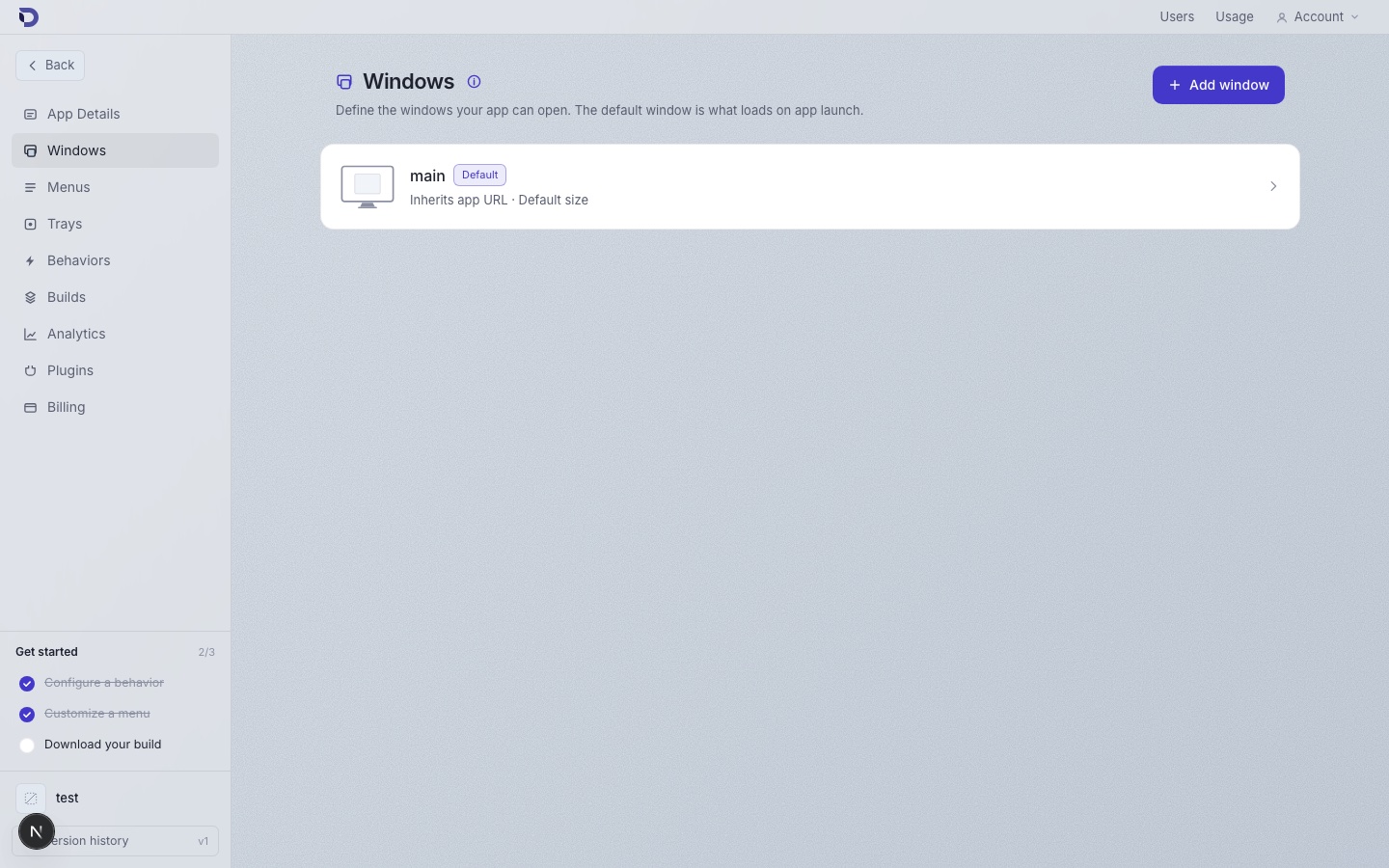
You can also define the palette window as a window template in the dashboard's Windows page and spawn it by template id, which keeps size/chrome configuration visual and out of your code:
3. Make it feel like a palette
Inside the palette page: focus the input on load, close on Escape, and close after an action.
// In the palette page's code — destroy with no windowId targets the
// window the call is made from:
window.addEventListener('keydown', async (e) => {
  if (e.key === 'Escape') await window.deskifier.windows.destroy({});
});
4. Be a good citizen
Unregister when appropriate (for example, if the user disables the feature in your settings):
await window.deskifier.shortcuts.unregister({ id: 'command-palette' });
If registration fails, another app owns that accelerator; offer an alternative in your settings rather than fighting for it.
Where to go next
- Global shortcuts reference for accelerator syntax and every event.
- Windows reference for the full window option surface (vibrancy, opacity, skipTaskbar are all useful for palettes).